Built for bulk earthworks in the resources sector

Progress claims – measured, evidenced and certified on one shared record

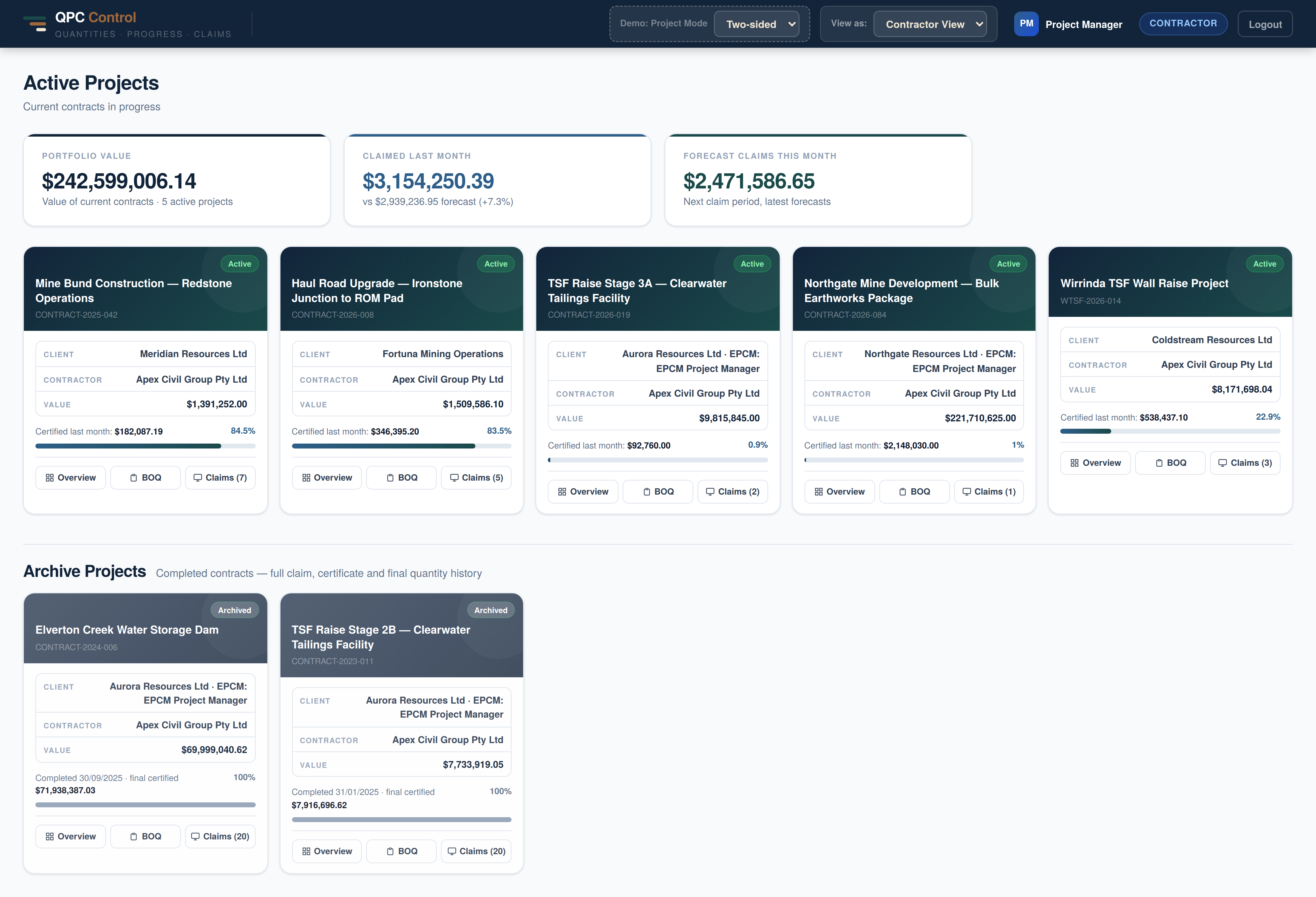
QPC Control puts the contractor and the client on the same live claim — every quantity linked to the survey that proves it, every variation and day-work docket in one place, and a certified payment figure both sides can stand behind. No more reconciling spreadsheets by email.

Built by a registered surveyor with 20 years on major infrastructure and resources earthworks projects — who has worked both sides of the progress claim, and knew exactly what needed fixing.
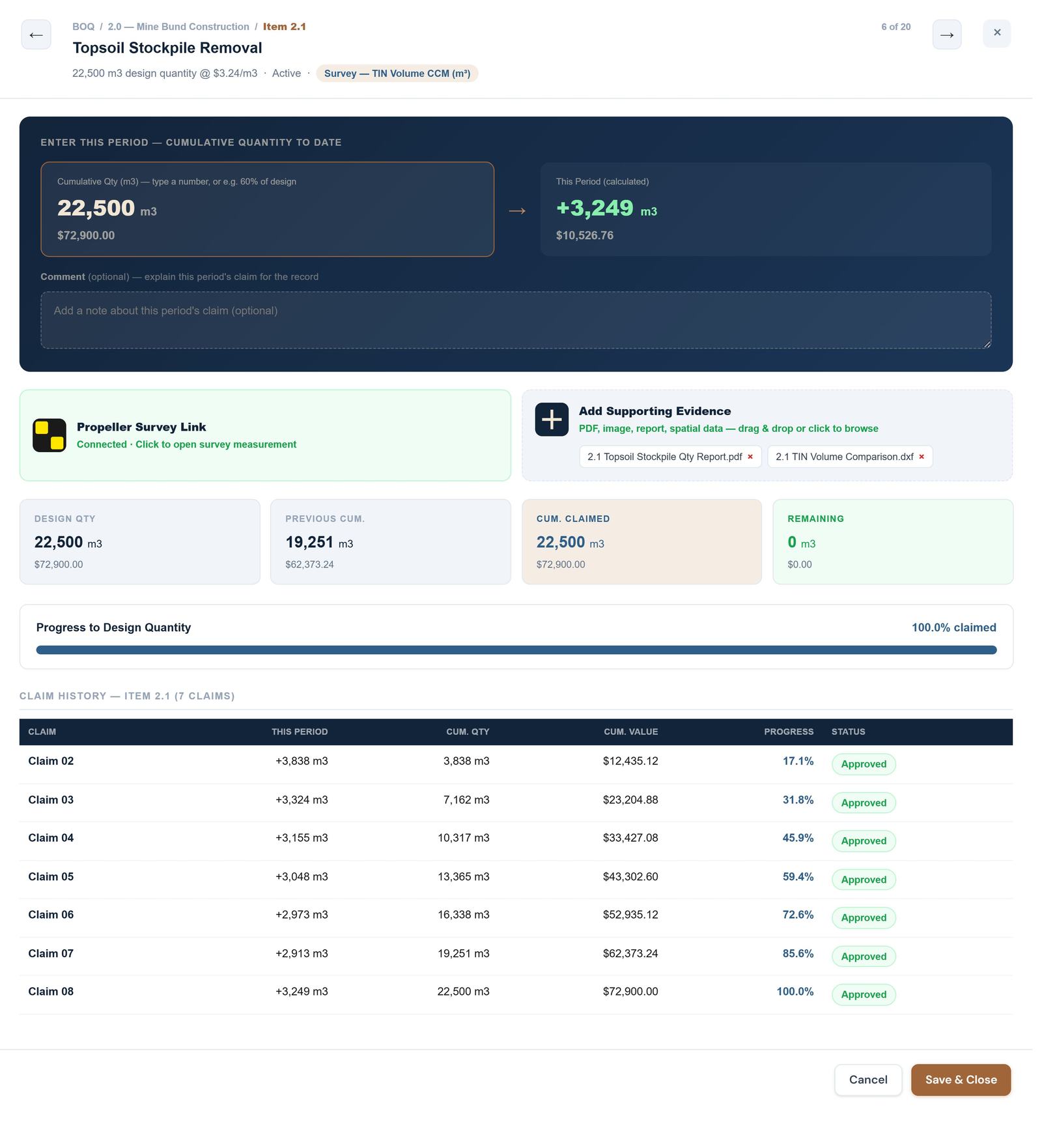
Item 2.2 · claim entry
QPC Control claim entry — contractor view
Fewer disputes— evidence stays linked to the line it supports, permanently
Faster assessment— claims read from one live BOQ, not a rebuilt spreadsheet
Certify with confidence— every figure backed by survey, timestamped and attributable
Get paid sooner— the statutory clock is visible and enforced
The claim every month

A BOQ with hundreds of line items, and a month-end deadline

On a bulk earthworks contract the contractor claims progress roughly every month. The assessor checks every line. Both keep their own version. The gaps between them turn into queries, disputes, and late payments.

TodayClaiming in Excel
  • Contractor's sheet and assessor's sheet drift apart — nobody trusts the totals.
  • Variations agreed over email never make it back into the live BOQ.
  • Survey volumes, dockets and photos live in folders nobody can find at adjudication.
  • Statutory payment dates are tracked in someone's head — until one is missed.
With QPCOne shared source of truth
  • Contractor claims and assessor certifies against the same BOQ line, live.
  • Agreed variations fold straight into the BOQ and the contract value.
  • Survey packages, dockets and evidence attach to the exact claim they justify.
  • Every claim has a tracked statutory clock and a full, timestamped audit trail.
01

Indisputable linkage

Every quantity change, variation and approval decision is timestamped and attached to the specific BOQ item — so the record can't be argued away.

02

Tamper-evident history

Claim history isn't a static spreadsheet. It's a live, versioned record from Claim 1 to project completion, with every variation captured the moment it was agreed.

03

An audit trail, not a paper trail

Centralising evidence turns an opaque paper trail into a transparent record — a practical insurance policy for both parties against future disputes.

This doesn't remove the underlying commercial negotiation — parties will still disagree about entitlement, rates and risk allocation. What changes is that when they disagree, both sides are arguing from the same record of what was measured, when, by whom, and with what evidence — instead of spending months establishing that record for the first time.

The bill of quantities

One source of truth, from claim to claim

01

Sectioned line items, units, rates and cost codes live in one place — claims read from it, variations write back to it.

02

Cumulative built in — last period, this period and remaining on every line, so the claim writes itself from the schedule.

03

One-click PDF or CSV export, ready to import into your financial and project-management tools.

04

Every change, claim and query is stored as a permanent record against each line item in the BOQ.

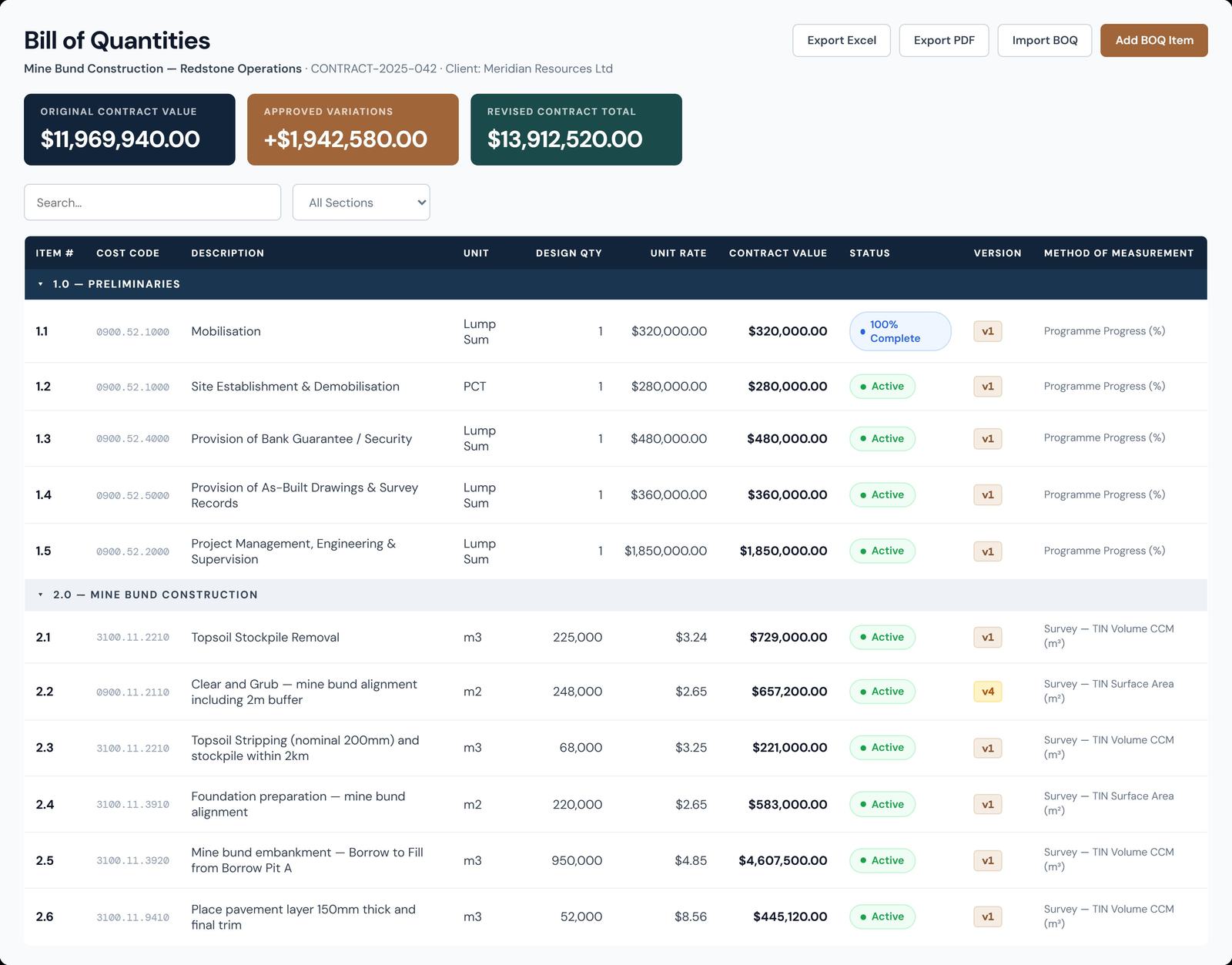
Bill of Quantities
QPC Control Bill of Quantities view
Every line, its whole life

Full history, stored against the line item — not a spreadsheet

Progress, versioning, variations and queries all live on the record for that one BOQ line — not scattered across emails and revised spreadsheets.

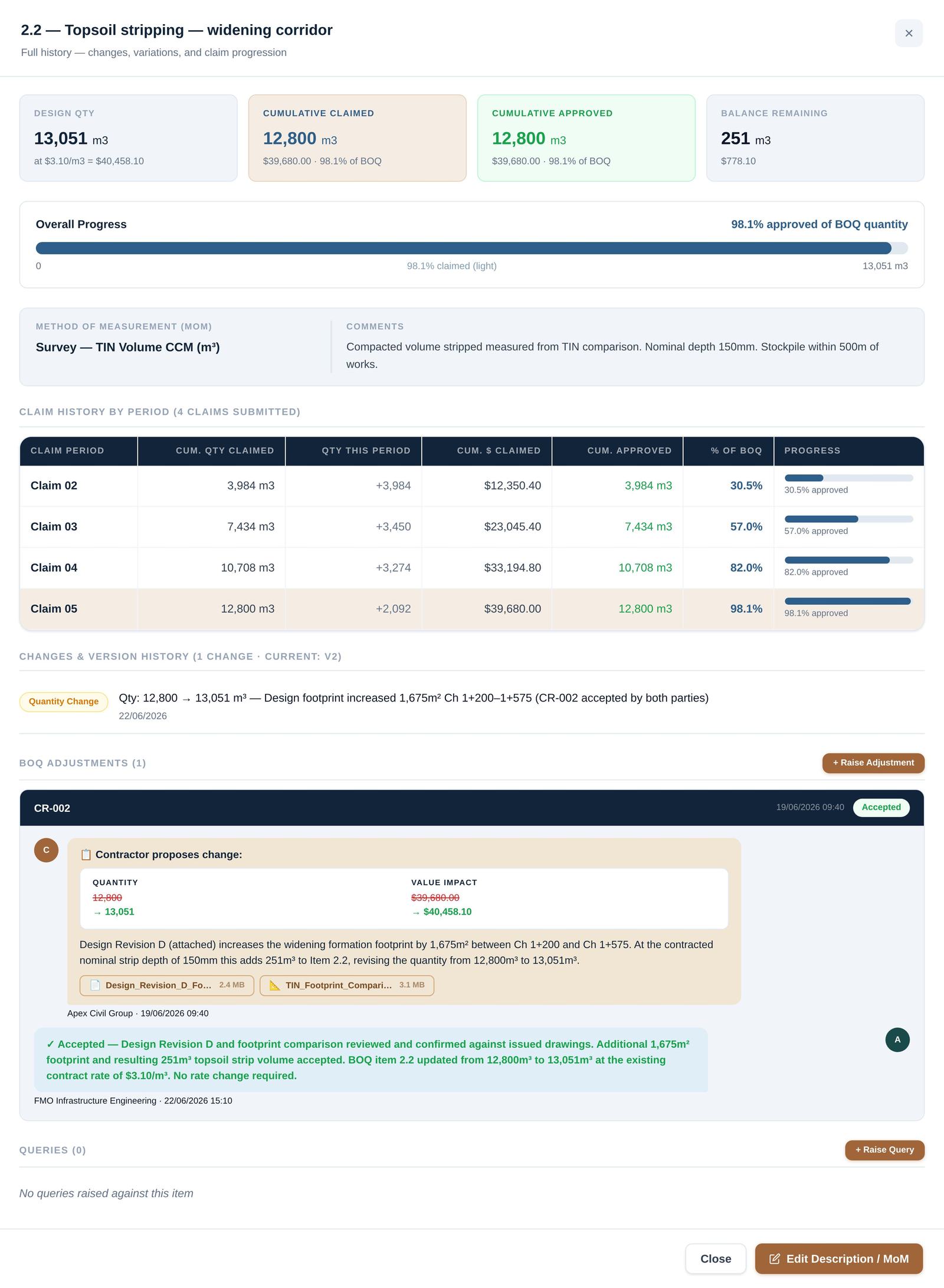
Item 2.2 — full claim history
QPC Control line item detail — full claim history, variations and BOQ adjustments for one line
One line item, its whole life — design quantity, every claim period, every variation and its evidence, in a single certified record.
Both sides, one record

The same line, claimed and assessed together

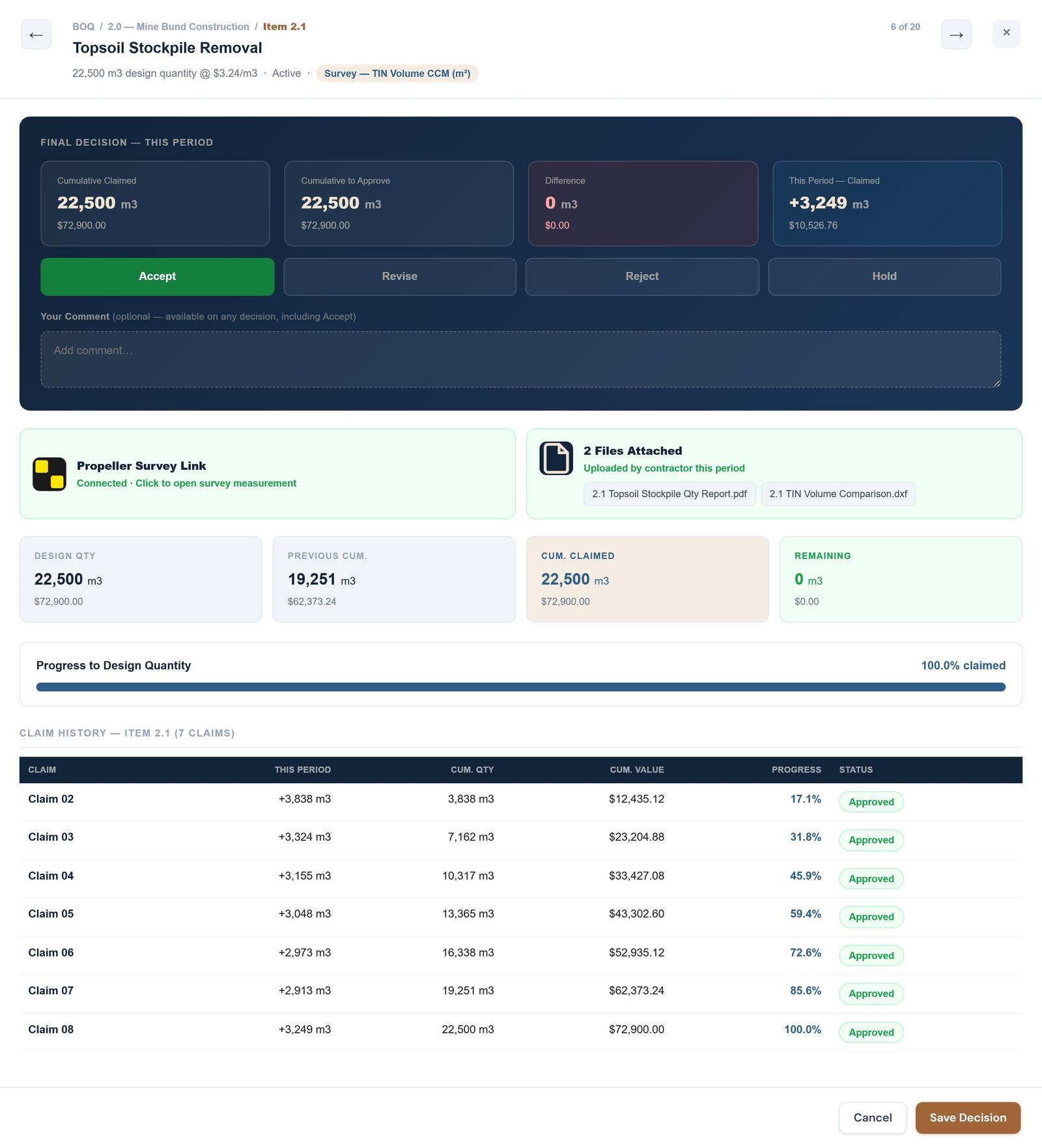
The contractor claims a line item and attaches Propeller survey links and supporting documents to substantiate it — evidence the client-side assessor can view directly, right next to the figures, before making one of four decisions.

1Claim enteredContractor view
Item 2.2 · claim entry
QPC Control claim entry — contractor view, with Propeller survey link and supporting evidence attached
2Claim decidedAssessor view
Item 2.2 · final decision
QPC Control assessor decision view — with Propeller survey link and supporting evidence visible to the assessor
→
Accept approve as claimed Revise adjust the quantity Reject decline, with a reason Hold park pending info
An independent platform

Not a contractor tool. Not an owner tool.
The shared ledger between them.

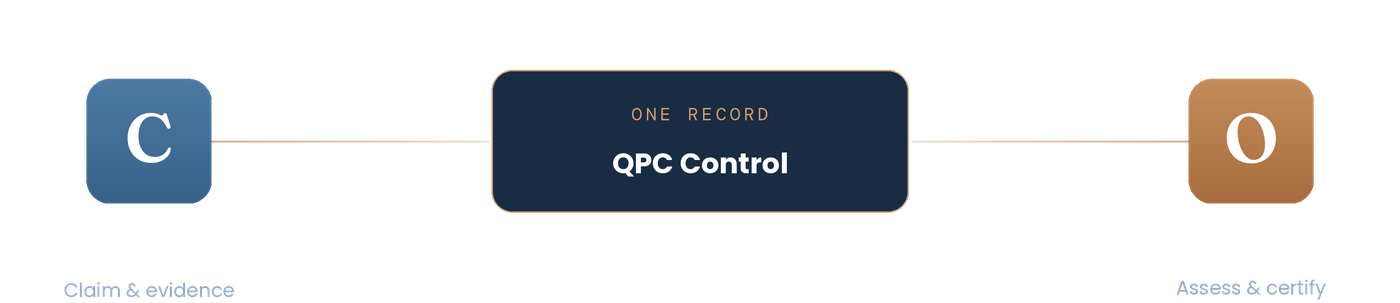
Contractor and Owner both connect to QPC Control as the single shared record
Both parties work the same claim, same numbers, same audit trail — so the platform earns trust from both sides of the contract.
Forecasting

Know what next month's claim will be

01

Every line carries a contract, design and forecast quantity, so you can see where the job is heading against what was priced.

02

A new forecast each month once the claim goes in. The baseline is locked, so every revision is measured against the original plan.

03

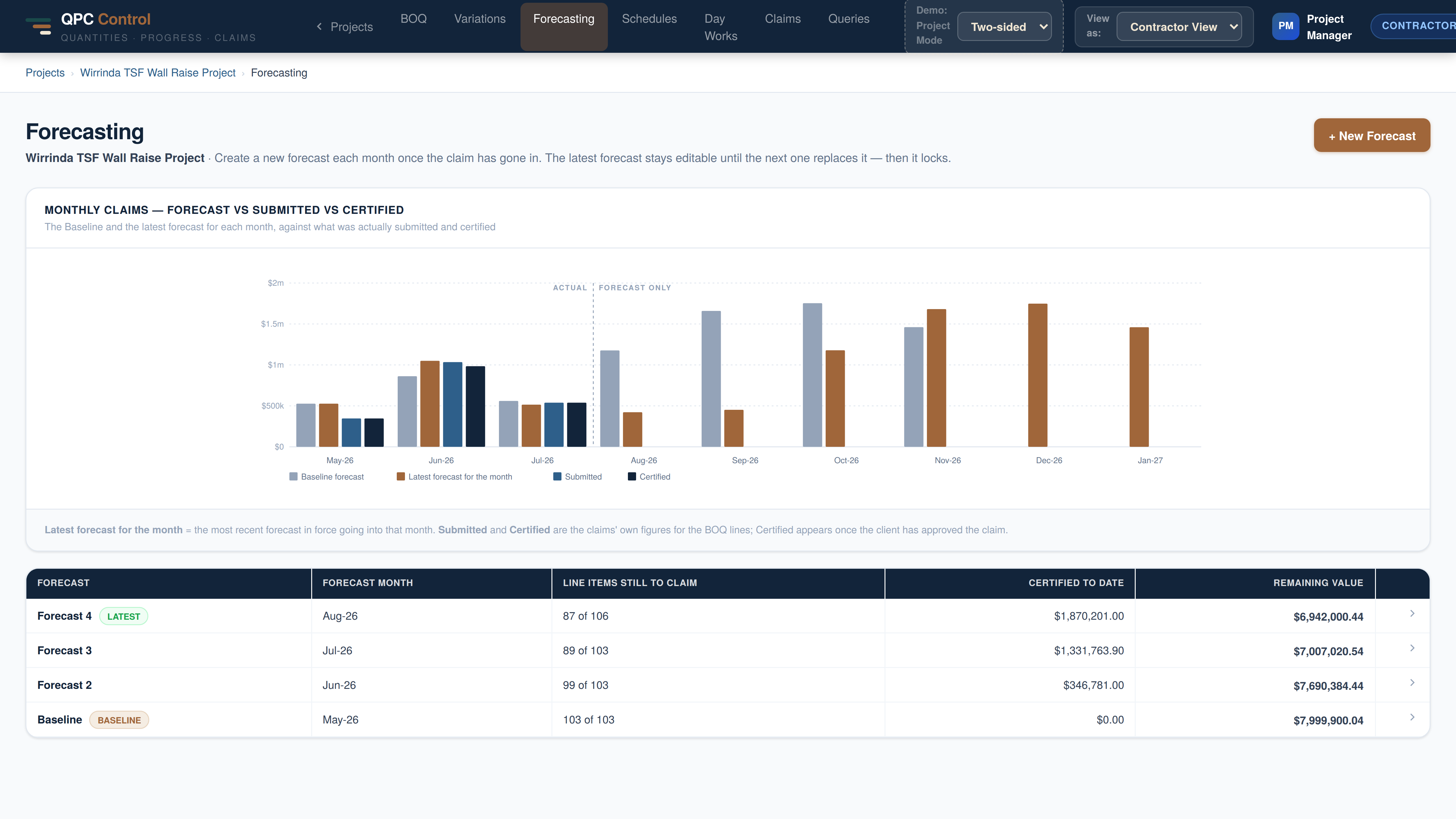
Forecast, submitted and certified side by side, month by month: early warning of cash flow gaps and variations before they arrive.

Forecasting
QPC Control forecasting: monthly claims forecast vs submitted vs certified
Contractor-only mode

Client not on QPC Control yet? Use it on your own.

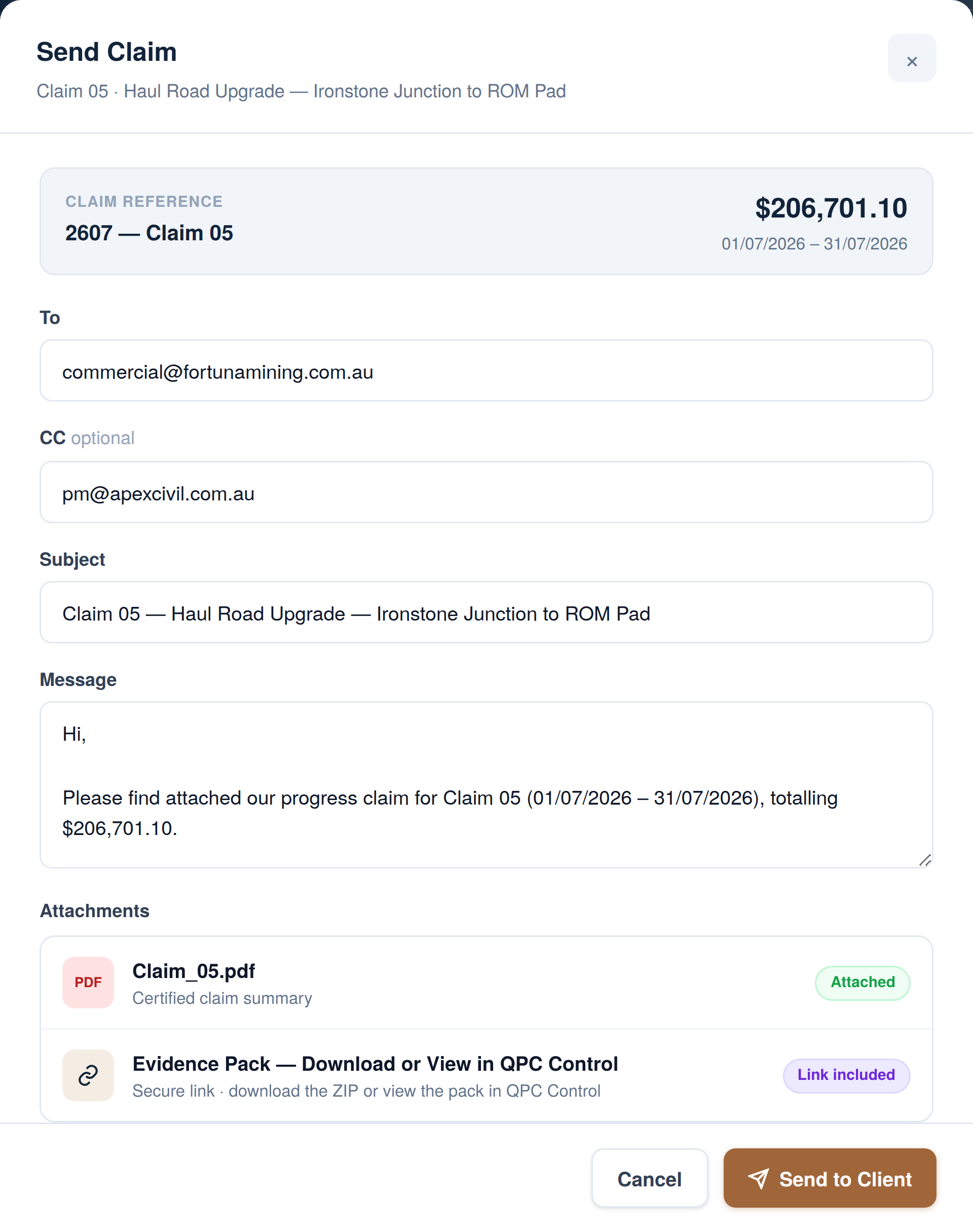
Run your claims through QPC Control even when the client isn't ready to make the change. Each claim goes out with a certified summary and a structured evidence pack, and the client's certificate is recorded back against every line. You build an evidence bank that can't be disputed.

1Send the claim
Send Claim panel with claim PDF attached and evidence pack link

Claim PDF attached, evidence pack linked. One click from the claim page.

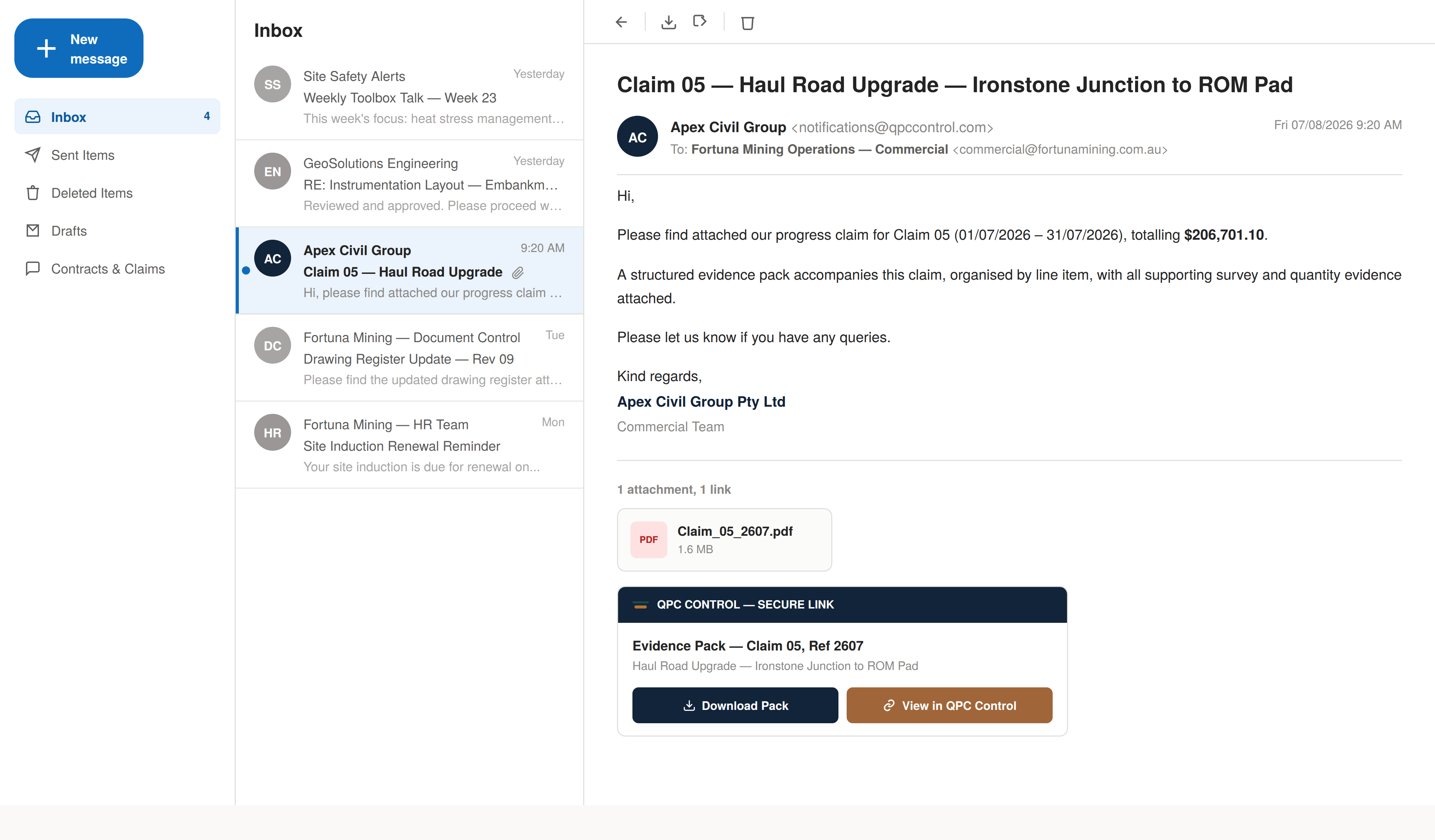
2Client receives it by email
Client inbox showing the claim email with evidence pack download

No login needed. The client downloads the pack or views it in QPC Control through a secure link.

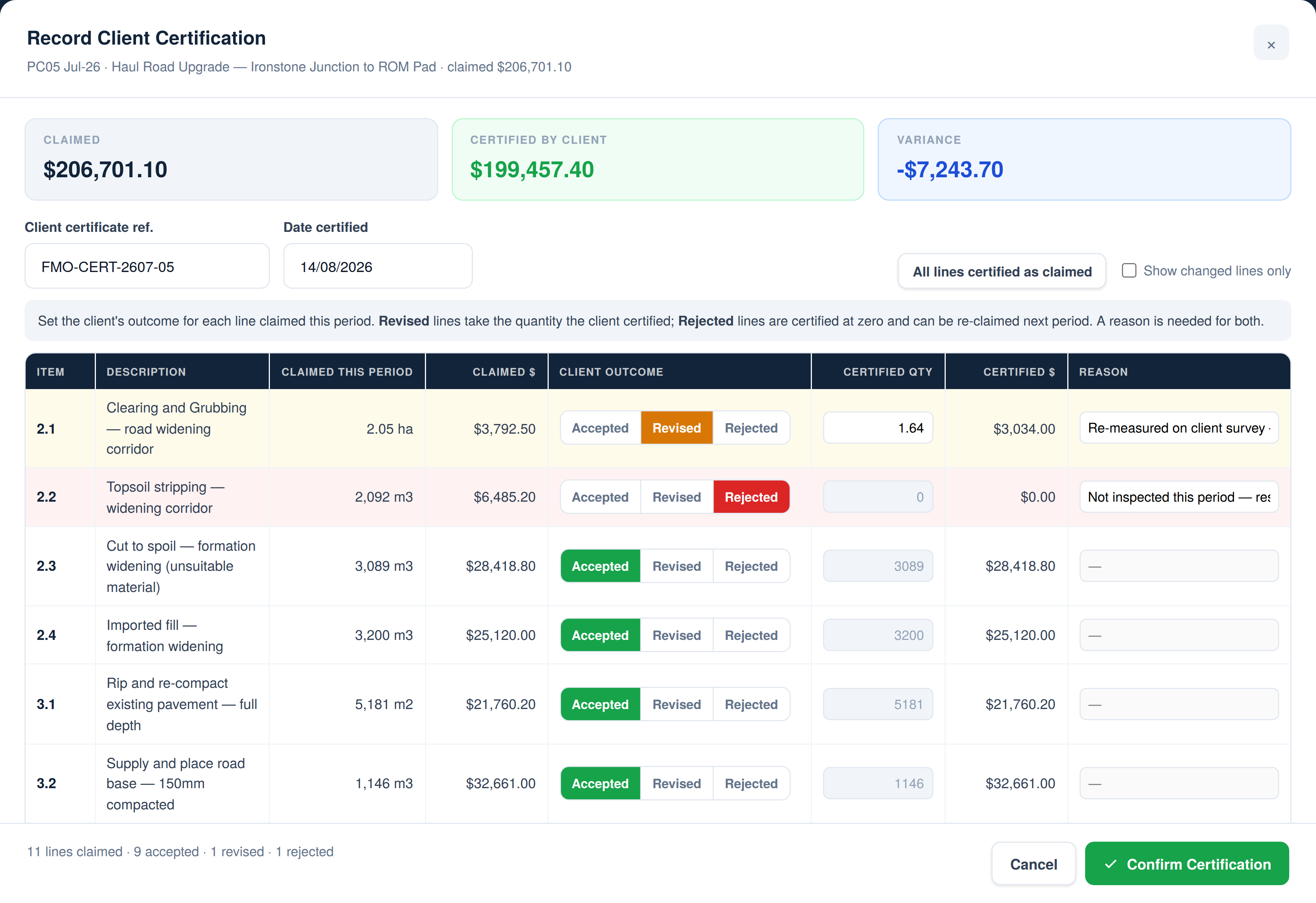
3Record the certification
Record Client Certification with accepted, revised and rejected lines

Enter the client's outcome line by line: accepted, revised or rejected, with the reason.

Protect your claim integrity

Every claim, figure and piece of evidence is timestamped and kept in one place, whichever way the client works.

Build an evidence bank

Survey data, reports and dockets sit against the line they support, ready if a quantity is ever challenged.

Bring the client in later

Switch the project to two-sided at any time. The full history carries straight across.

Free download

The commercial risk of disconnected claims on earthworks projects

A white paper on how fragmented evidence and unlinked claim history quietly drive cost blowouts, schedule delays and disputes — and what a unified, certified record changes.

Why quantity disputes are the most common failure mode in a claims register
What months of discovery re-linking evidence actually costs a project
A framework for de-risking commercial claims on your next contract
Australian Earthworks Commercial Risk Report — QPC Control white paper cover
Get in touch

See QPC Control on your next earthworks contract.

Run a structured trial on a live project — alongside your existing claim process, low risk, Australian-hosted.

Or email us directly at info@qpccontrol.com